Workspaces
Add, rename, delete the workspaces (locations) in your organization.
For Hub admins. For the full new-franchisee workflow, use Onboard a workspace.
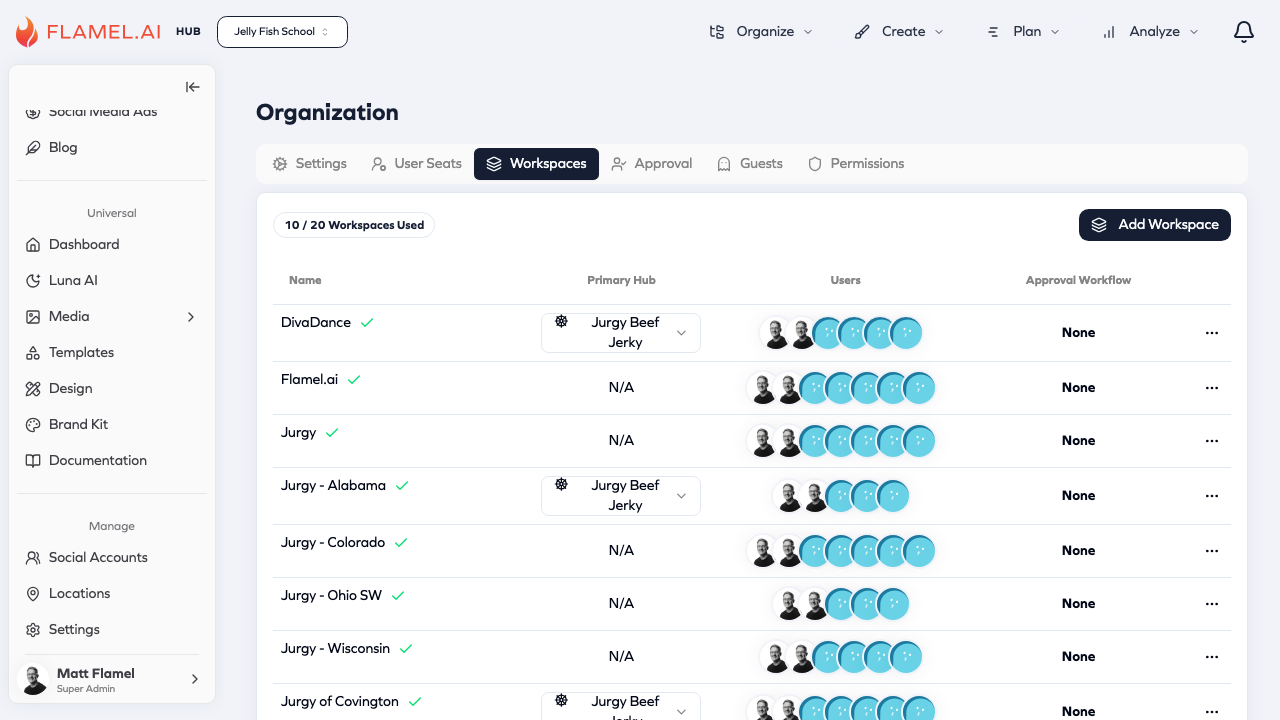
Workspace List
The table displays each workspace with:
| Column | Description |
|---|---|
| Name | Workspace name with status indicator |
| Primary Hub | The hub this workspace belongs to (if any) |
| Users | Users with access to this workspace |
| Approval Workflow | Which approval workflow applies |
Click the ... menu on any workspace to access settings or delete.
Creating Workspaces
Click Add Workspace to create a new one. Provide a name and optionally assign an approval workflow. New workspaces start empty — connect accounts after creation.
Hub vs Workspace
Hub is the franchisor level — Hub content flows down to workspaces as read-only.
Workspaces are franchisee locations — they receive Hub content but can also create their own.