Custom Login Page
Branded login URL with your colors and slug.
For Hub admins. Workspaces use the branded URL but it's optional — the default Flamel login works too.
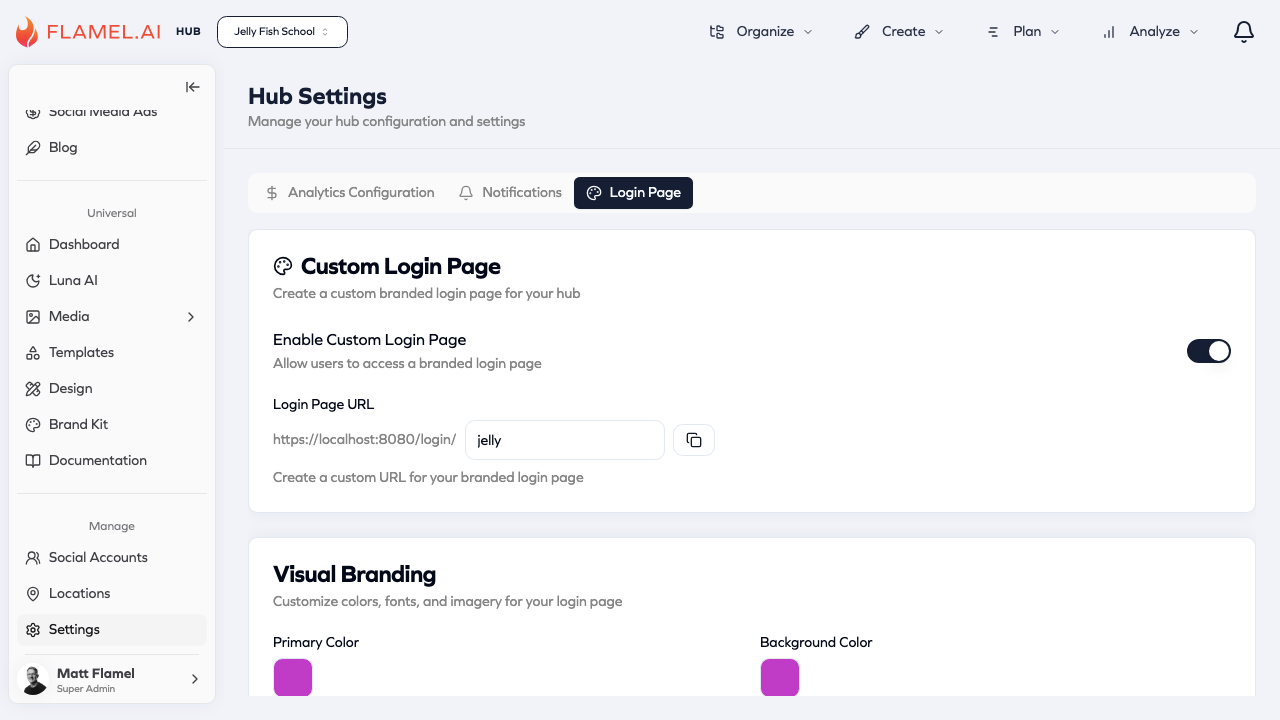
Custom Login Page
Create a branded login experience for your franchise network. When enabled, users can access a custom URL with your organization's branding instead of the default Flamel login page.
Enable Custom Login Page
Toggle this setting to allow users to access a branded login page. When enabled, you can configure a custom URL and visual branding.
Login Page URL
Set a custom URL slug for your branded login page. The full URL will be:
https://studio.flamel.ai/login/your-slug
Example: If you set the slug to jelly, your branded login URL would be https://studio.flamel.ai/login/jelly.
Share this URL with your franchisees for a seamless branded login experience.
Visual Branding
Customize the colors, fonts, and imagery for your login page to match your brand identity.
Primary Color
Set the primary brand color used for buttons, links, and accent elements on your login page.
Background Color
Set the background color for your branded login page.